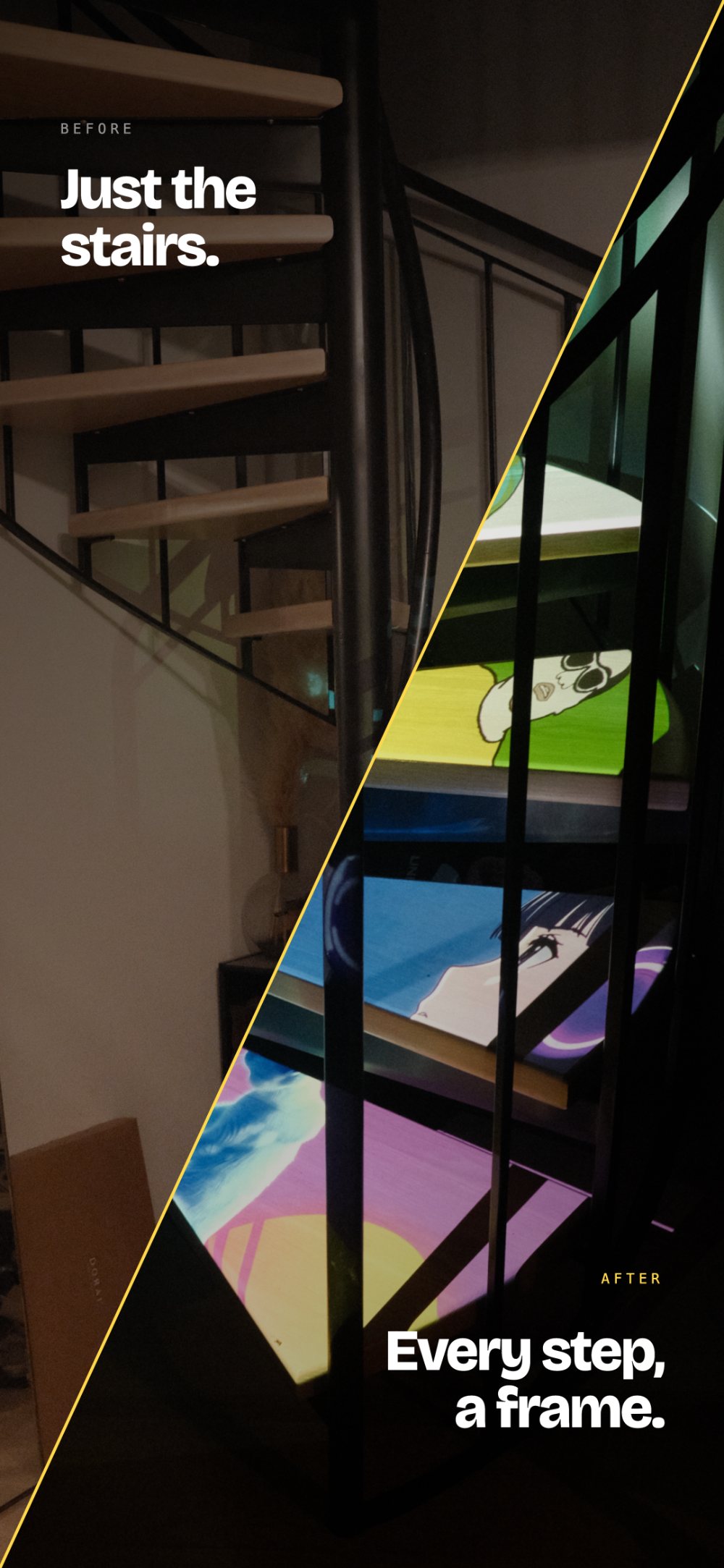
Now available on iPhone

Your space is
the canvas.

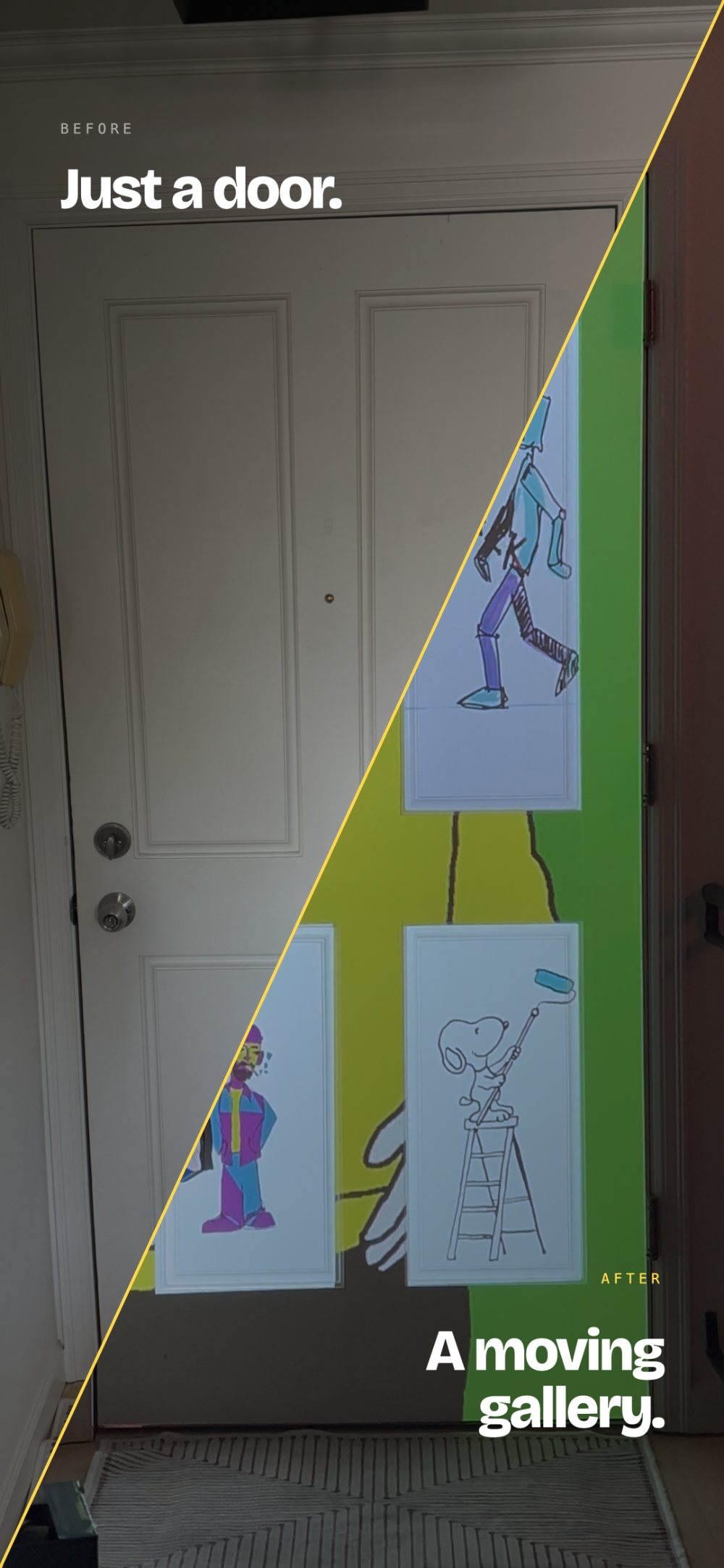
HappyMapper turns any projector into a projection mapping studio, with millions of free videos and GIFs built right in. No laptop. Importing is optional.

Download on App Store See features
HappyMapper home screen

Millions of
videos and
GIFs.

Search Pexels, Pixabay and Giphy without leaving the app. Fire, water, neon, abstract, cartoons. whatever vibe you're going for, it's already here.

HappyMapper media search

Create any
shape
imaginable.

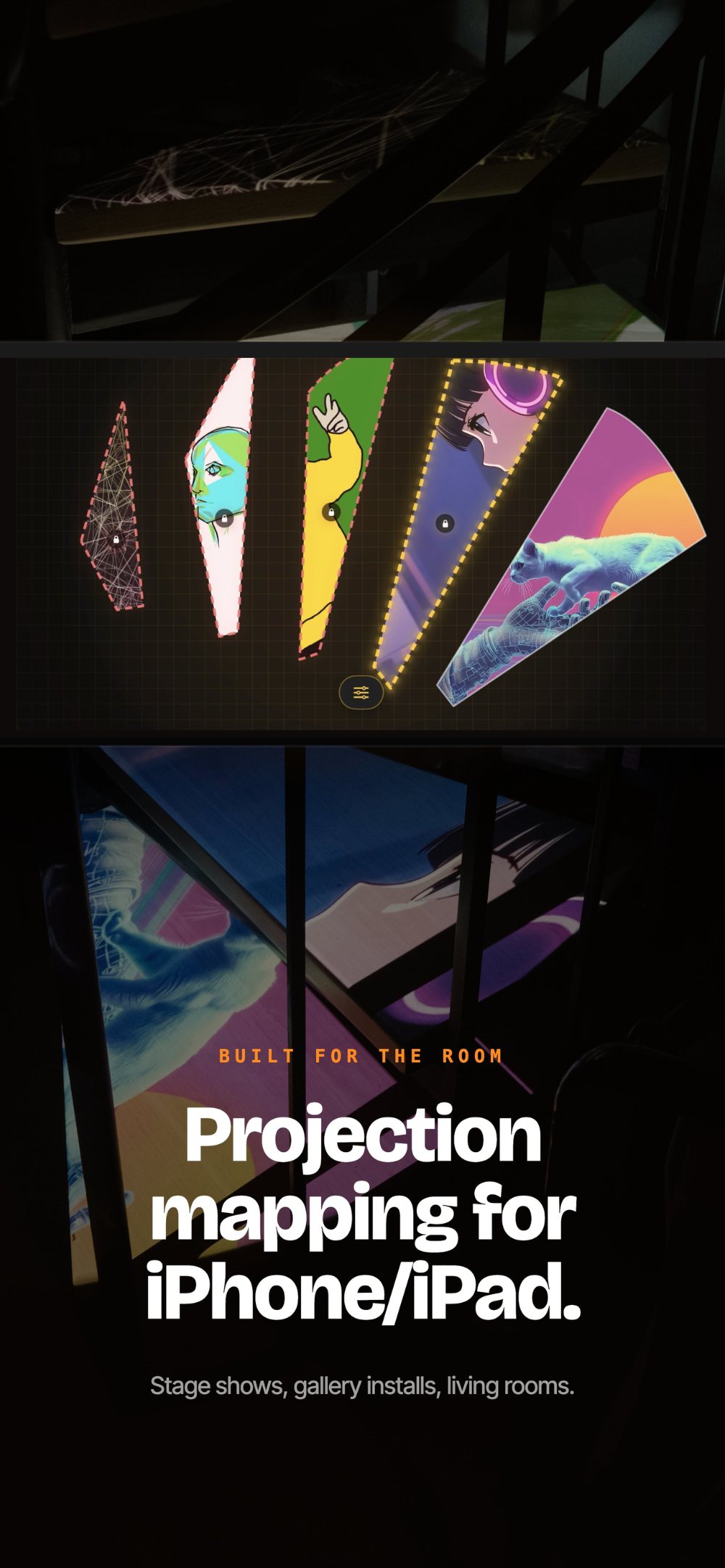
Combine multiple surfaces, introduce curved edges, and bend edges into smooth arcs. Whether you're mapping a flat wall, a curved object, or something completely irregular, HappyMapper gives you the tools to fit light to any surface in any form.

HappyMapper blend mode

Light where
you want it.
Dark where
you don't.

Cutout mode erases light from any shape. so projection only hits exactly where you want it. Your couch stays dark. Your wall glows.

HappyMapper cutout mode

No phone
needed.

Export your mapping as a looping video file. Load it onto a USB stick, Fire Stick, or any media player and walk away. Your installation runs itself.

HappyMapper export canvas
· Built for the room

The studio fits in your hand.

Full landscape editor with floating toolbar. Stage shows, gallery installs, living rooms.

HappyMapper landscape editor
· From zero to projecting

Three steps. One minute.

01
Open & connect
Plug your iPhone into a projector via HDMI adapter. HappyMapper detects the display automatically.
02
Drop a shape, drag corners
Draw shapes on your canvas and drag the corners to match whatever surface is in front of you.
03
Add media. Enjoy the show.
Search millions of free videos, browse GIFs, or use your own content. Tap to assign, watch it come alive.
· Pricing

Start free.
Upgrade anytime.

One shape is free forever. Every feature included. Upgrade for unlimited shapes.

Free
$0
One shape. Every feature unlocked.

Full access to media search, curves, cutout, export, and everything else. One shape, no time limit.

Monthly
$2.99/mo
3-day free trial included.

Unlimited shapes. Map entire rooms, layer surfaces, build complex installations.

Yearly
30% off
$24.99/yr
3-day free trial included.

Unlimited shapes all year. Save versus monthly.

· FAQ

Questions?
Answered.

Everything you need to know before you start projecting.

Any projector works. All you need is a projector with an HDMI input and a Lightning or USB-C to HDMI adapter for your iPhone. Mini projectors, home theater projectors, office projectors. If it has an HDMI port it works with HappyMapper. For the best results we recommend a minimum of 3000 lumens, especially if your room isn't completely dark.
Yes, a projector is required to see your mapping on a physical surface. You can still build and design mappings in the app without one, but the magic happens when you connect to a projector. Decent mini projectors start around $80 on Amazon.
Everything. One fully unlocked shape with access to all features including media search, curves, cutout mode, export, blend, and save and load mappings. No time limit, no credit card required. The only limitation is one shape at a time.
Unlimited shapes. That's it. Every single feature in the app is free. The only thing Premium unlocks is the ability to add more than one shape to your canvas. Map entire rooms, layer multiple surfaces, build complex installations.
HappyMapper has built-in search powered by Pexels, Pixabay and Giphy giving you access to millions of free videos and GIFs without leaving the app. You can also import from your camera roll or Files app. No account needed for any of it.
Cutout mode turns any shape into a dark zone that blocks all projected light. Place it over a piece of furniture, a picture frame, a plant, or anything you don't want light hitting. The projection appears to wrap around objects naturally making your installation look intentional and precise. Your couch stays dark. Your wall glows.
Yes. Save any mapping with a custom name and reload it instantly next time you plug in your projector. Your shapes, media assignments and settings are all saved. Same wall, new vibe, every weekend.
Export your entire mapping as a looping MP4 video file. Load it onto a USB stick, Fire Stick, Raspberry Pi or any media player and it plays back on your projector without needing your iPhone present. Set it up once and walk away.
Edge curves let you bend the edges of any shape into smooth arcs. Instead of straight lines between corners you get curved edges that follow arches, round objects, cylindrical surfaces and anything that isn't a flat wall. A curvature slider goes from sharp to fully round.
Yes with Premium. Add as many shapes as you need, each with its own media, position and settings. You can also blend shapes together to create seamless mapped surfaces that flow across multiple walls or objects. Layer them, reorder them, lock them in place.
Currently HappyMapper outputs via a wired HDMI connection using a Lightning or USB-C adapter. This gives you the most reliable and zero latency output. AirPlay introduces lag that makes real-time warping feel sluggish.
HappyMapper works on any iPhone running iOS 16 or later. For the best performance iPhone 12 or newer is recommended. The app is optimized for both portrait and landscape orientations.
Yes. Videos from Pexels and Pixabay are licensed under Creative Commons Zero, free for personal and commercial use. GIFs from Giphy are free for personal use. You are responsible for reviewing the license of any content you use commercially.
MadMapper is professional software for large venue installations that costs $579 and requires a dedicated laptop. HappyMapper fits in your pocket, costs nothing to start, and is designed for anyone who wants to transform their living space, bedroom or creative setup. No learning curve, no expensive hardware, no laptop required.
Yes. Both the monthly and yearly plans include a 3-day free trial with full Premium access and unlimited shapes. No charge until the trial ends and you can cancel anytime from your iPhone settings. The lifetime option is a one-time purchase with no trial needed.